
Weverse: Connect with Artists
WEVERSE COMPANY Inc.Social
4.67.89K Reviews
- Version
- 3.17.0
- Installs
- 10.00M
- Age Rating
- Teen
Screenshots

Our Review of Weverse: Connect with Artists
 Analysis by Appyee
When one person at home follows an artist closely, it is easy for that interest to become part of the household routine: a new post gets mentioned over dinner, a live stream is watched in the living room, or a sibling asks what everyone in the fan community is talking about. I see Weverse as most useful when it gives a fan a focused place to follow those moments, rather than as a general social app for everyone in the family. That distinction matters if a device is shared: the app experience is tied to the person’s interests and account, so it works best when each user keeps their own activity and choices separate.
Making a shared device feel personal
On a tablet that several people use, I would treat Weverse as one person’s fan space, not a communal profile. Before opening it for a younger family member, it is sensible to agree who is signed in and who can see the account’s feed or notifications. That simple boundary avoids mixing one person’s followed communities with another person’s browsing, and makes it easier to keep the app’s social activity attached to the right fan.
A realistic use might be a parent and teenager sharing a tablet in the evening. The teenager can check a community after school, then hand the device back without expecting the parent to understand every post or participate. If the family wants to watch a public-facing artist update together, they can do so, but private account activity should remain the account holder’s responsibility. I would not rely on a shared device as a substitute for a separate account or a conversation about what the user is comfortable seeing and sharing.
Set expectations before joining communities
Weverse combines artist updates with fan-to-fan interaction, so setting expectations is more useful than assuming every part of the app feels like simply watching a video. I would show a new user how to distinguish an artist’s posts from community discussion and encourage them to pause before posting personal details. A fan can enjoy reading along without commenting, and there is no need to turn every update into a public response.
For households coordinating around a favorite artist, a low-friction routine can help: one person can check for a new announcement and tell the others, rather than sending every notification or post into a family chat. That keeps the shared conversation enjoyable without making everyone follow the same feed. It also gives the fan room to decide which moments they want to share, instead of making their whole account a group activity.
Age, trust, and a sensible role for adults
The app is rated Teen, which is useful context for families deciding whether it fits a young person. I would treat that rating as a starting point rather than a replacement for parental judgement. The mix of artist content and fan discussion means the experience can vary depending on which community a person follows and how actively they participate. For a teen, I’d suggest beginning with communities they already know and talking through basic online boundaries, especially around personal information and direct interaction.
Adults do not need to read every post over a teen’s shoulder to be involved. A better approach, in my view, is to ask what they are following, what they enjoy about it, and whether anything in the community has made them uncomfortable. That keeps trust intact while giving the young user a clear route to ask for help. Families looking for a tightly managed child account or dedicated household controls should choose a service designed for that purpose instead of assuming Weverse provides those functions.
What is Weverse?
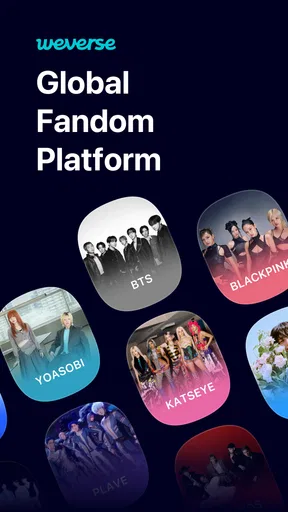
So, what exactly is Weverse? In a nutshell, it’s an app that brings fans closer to their favorite artists. It’s a platform where artists can share content, chat with fans, and even drop some exclusive stuff you won't find anywhere else. If you’re a fan of K-pop, you might already know that this app is all the rage among fans of groups like BTS, Blackpink, and more.
Diving Into the Features
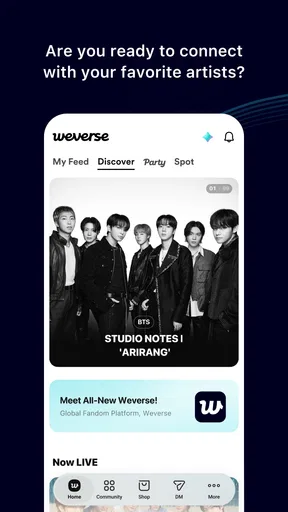
Once you dive into the app, the first thing you'll notice is the sleek and intuitive interface. It’s super easy to navigate, which is a total win in my book. You can follow your favorite artists, join communities, and get updates directly from them. It's like having a mini social media platform dedicated to each artist.
One of the best parts? The content is super varied. You'll find everything from live streams and videos to blog posts and photos. Plus, artists often post personal messages, which makes the whole experience feel a lot more intimate.
Interacting with Artists
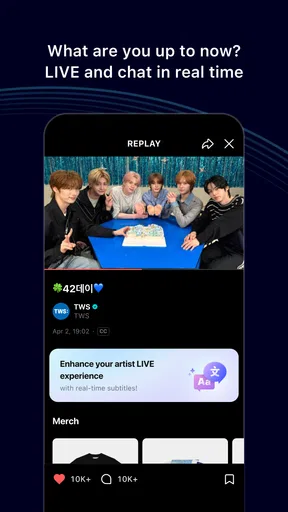
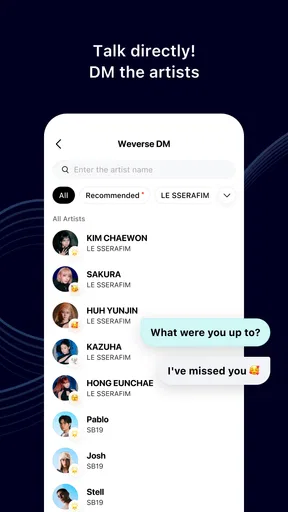
Okay, here’s where things get really exciting. Weverse allows fans to interact directly with artists. You can comment on their posts, and if you're lucky, you might even get a reply! The artists often host Q&A sessions and live chats, which are perfect opportunities to get your burning questions answered.
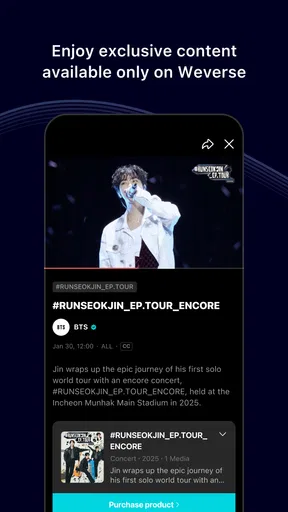
For those who love exclusive content, Weverse has got you covered. Artists sometimes drop behind-the-scenes videos or sneak peeks of upcoming projects. It’s like being part of a secret club where you get all the insider info.
Community Vibes
Another aspect of Weverse that I really dig is the community vibe. Each artist has their own community, and fans can interact with each other, share fan art, and discuss everything under the sun related to their favorite stars. It’s a great way to make new friends who share your interests.
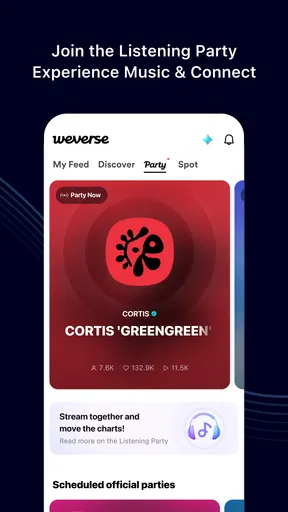
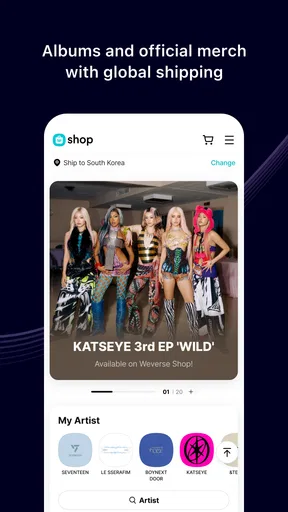
The app also hosts official events and challenges. Participating in these can be a lot of fun and sometimes even rewards you with exclusive content or merchandise. It’s like a virtual fan club, with all the perks included.
Language and Accessibility
One thing I appreciate about Weverse is its effort to be inclusive. The app supports multiple languages, making it accessible to a global audience. This is especially cool because it doesn’t matter where you're from – you can still connect with your favorite artists and fellow fans from around the world.
And if you’re worried about missing something important because of a language barrier, fear not. The app provides translations for most of the content, ensuring that everyone can stay in the loop.
Using it without letting it take over
For me, the most practical way to use a fan platform is to decide what I actually want from it. If I mainly want official updates, I can check the artist communities occasionally rather than treating every post as urgent. If I want the social side, I can spend time reading fan conversations and sharing something thoughtful. Those are different habits, and separating them helps keep a stream of updates from becoming a constant obligation.
There is also a useful trade-off between closeness and noise. A dedicated community can make an artist’s updates easier to find than they are on a broad social network, where posts from friends, news accounts, and unrelated topics compete for attention. But following several artists can still create a busy feed. I’d start with the communities I care about most, then add others only when I know I want their updates; that makes the app feel more intentional from the beginning.
How it fits beside other social apps
Compared with a general-purpose social network, Weverse is more focused: artist-related posts and fan conversations are the point, rather than one stream combining every part of a person’s online life. That focus is its strongest reason to install it. It can be a better home for following a particular artist than trying to track scattered posts across different feeds, especially when fans want community discussion alongside official content.
The trade-off is that it is not a replacement for every social app. If I want broad conversations with friends, local news, or a feed built around many unrelated interests, a general platform is more natural. If I only want occasional announcements and have no interest in fan discussion, following an artist elsewhere may be enough. Weverse makes most sense when the community itself is part of the appeal, not merely when I want another place to scroll.
Who will get the most from it?
I’d recommend it most to people who already care about an artist and enjoy following releases, messages, videos, and fellow fans in one dedicated space. It is also a good fit for someone who wants to participate at their own pace: reading posts can be worthwhile even if they never comment or join every activity. For a friend who likes the feeling of a fan club but prefers using a phone app, this is a more focused option than keeping up through unrelated social feeds.
On the other hand, I would not push it on someone who is only mildly curious about an artist, dislikes social feeds, or wants a quiet utility that does one narrow job. The community layer can be the best part for one person and unnecessary clutter for another. It is also not my pick for a family looking for shared parental controls or a single household account; the sensible approach is to keep the account with the individual fan and agree on device boundaries separately.
Practical details before you install
Weverse is a free social app from WEVERSE COMPANY Inc., and it has an average rating of 4.6 from around 1.1 million ratings, with over 10 million installs. It was released on June 10, 2019, and version 3.17.0 requires Android 10 or later. The Teen age rating is worth keeping in mind if a younger person will use it, particularly because this is a social space rather than just a library of artist videos.
There are in-app purchases, with items ranging from $0.49 to $200.00. I would separate that from the basic reason to try the app: installing it is free, but optional purchases can make the experience feel different for people who are interested in paid items or content. If a teen uses a shared payment method, it is worth agreeing on purchase expectations before they browse, rather than assuming that free installation means every part of the app is free.
If you are deciding whether to install it, ask yourself one practical question: do you want a dedicated place to follow and talk about artists, or do you simply want occasional updates? The first answer points toward Weverse; the second may not justify another social feed. For households, the best arrangement is equally straightforward: let the interested person own the account, be clear about shared-device use, and keep conversations about age and online boundaries open.
Overall Experience
In a world where social media platforms are crowded and impersonal, Weverse stands out by offering a dedicated space for fans and artists to interact. It's more than just an app; it’s a community. Whether you're a die-hard fan or just a casual listener, Weverse offers a unique way to experience the world of music and entertainment.
If you haven’t tried it yet, I highly recommend giving it a shot. It’s free to download, and you might just find yourself hooked. Who knows, you might even get a reply from your favorite artist. Now, wouldn’t that be something?
Ready to dive into the world of Weverse? You can download it now on both Android and iOS. Trust me, you won’t regret it!
Verdict
Strengths of Weverse: Connect with Artists
- Engaging fan community interaction.
- Personalized artist content updates.
- High-quality exclusive content access.
- User-friendly interface and navigation.
- Regular app updates with new features.
Limitations of Weverse: Connect with Artists
- Limited offline content availability.
- Occasional technical glitches in streaming.
- In-app purchases can be pricey.
- Notifications can be overwhelming.
- Some features require premium access.
Similar Picks in This Category
View All
Meta Platforms, Inc.4.6

Instagram4.0

Likee-Live, Chat & Party Games
Likeme Pte. Ltd.4.4

Facebook Lite
Meta Platforms, Inc.4.5

TikTok - Videos, Shop & LIVE
TikTok Pte. Ltd.4.0

Moj: Free Short Drama & Reels
ShareChat4.1
Frequently Asked Questions
What is Weverse and what does it offer to users?
Weverse is a platform designed for fans to connect with their favorite artists. It offers exclusive content, interactive communities, and live broadcasts. Users can join official artist communities, access behind-the-scenes content, and participate in interactive events. It's a one-stop destination for fans looking to get closer to their favorite musicians and entertainers.
Is Weverse available on both Android and iOS devices?
Yes, Weverse is available on both Android and iOS platforms. Users can download the app from the Google Play Store or the Apple App Store. The app is designed to provide a seamless experience across devices, allowing fans to stay connected with their favorite artists anytime, anywhere.
Are there any costs associated with using Weverse?
While downloading and using Weverse is free, some content within the app may require purchases. These could include buying exclusive merchandise, accessing premium content, or purchasing tickets for virtual events. Users should check for any fees or in-app purchases associated with specific content or features.
How does Weverse ensure user privacy and data security?
Weverse prioritizes user privacy and data security by implementing robust measures. The app uses encryption to protect user data and follows strict privacy policies. Users are encouraged to review these policies to understand how their data is handled. Regular updates ensure that security protocols are maintained at the highest standards.
Can users interact directly with artists on Weverse?
Yes, Weverse allows users to interact directly with their favorite artists through community posts and live events. Artists often share personal messages, photos, and videos, and they sometimes respond to fan comments. This interaction fosters a sense of community and provides fans with a unique, personalized experience.
